Ideation is rich. Extraction is manual.
FigJam is the natural home
Stickies, screenshots, link previews, colour coding, connector lines. Teams think in FigJam — it has the lowest ideation overhead of any tool.
The Figma MCP falls short
The Figma MCP can read FigJam — but comments don't copy across, screenshots require per-node calls, and large boards exceed token limits. No semantic understanding of colour conventions.
Manual extraction is lossy
Copy-pasting stickies into a doc loses colour groupings, discards connector relationships, and drops the structural metadata that makes context useful to an agent.
From sticky to structured in one click
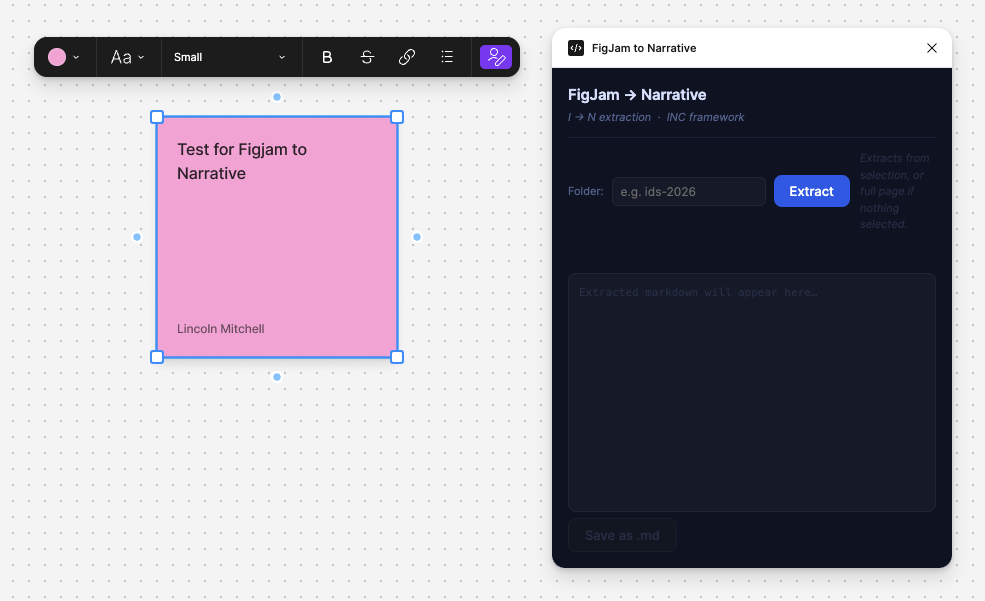
01 — Plugin UI with folder input and Extract button
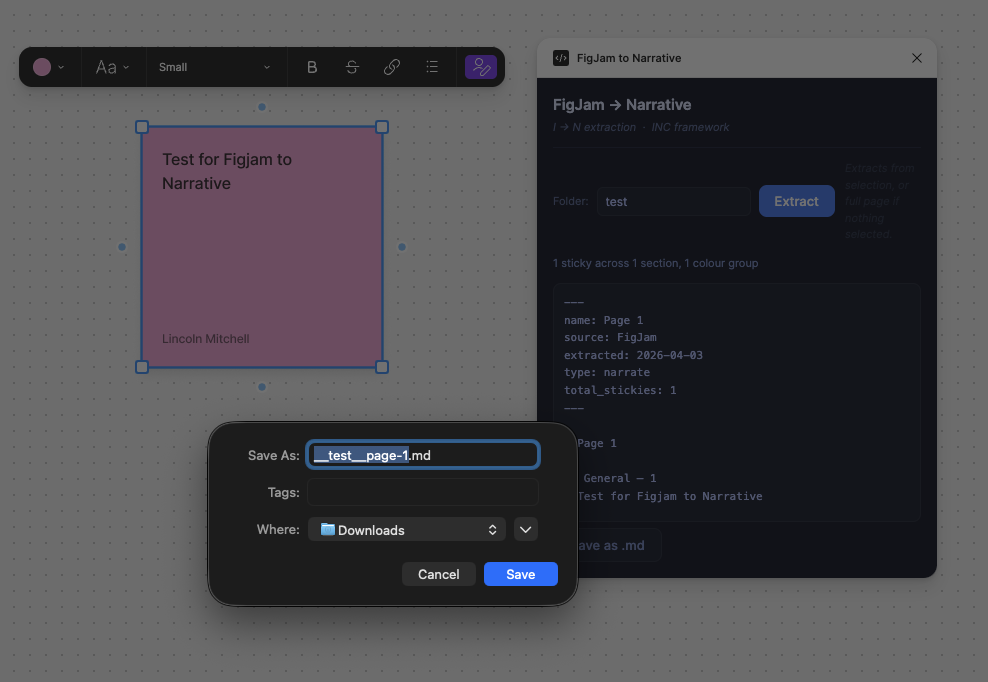
02 — Extracted markdown with auto-save dialog
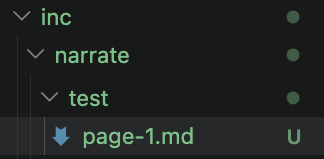
03 — File appears in inc/narrate/ via fswatch
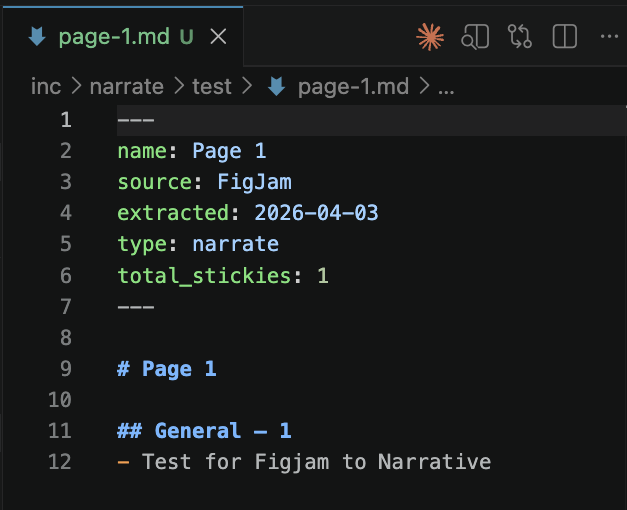
04 — Structured markdown with frontmatter, ready for agents
N → I: Import narrative back into FigJam
The plugin works both ways. Load a structured markdown file and it creates colour-coded stickies in a new FigJam section — ready for the next round of ideation. Every C becomes context for the next I.
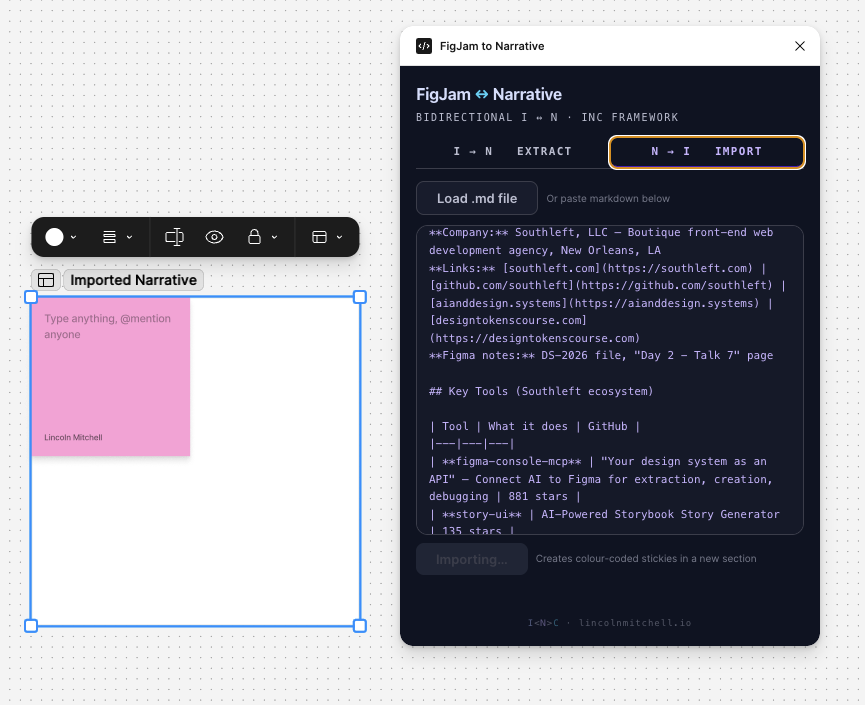
N → I — Structured narrative imported as colour-coded stickies
Load or paste markdown
Browse for a .md file from inc/narrate/ or paste directly. The parser reads frontmatter, colour-group headers, and list items.
Colour mapping reversed
“High Signal” becomes green stickies. “Questions” becomes pink. The same conventions, in both directions.
New section, auto-positioned
Stickies appear in a named section, laid out in a 3-column grid, positioned clear of existing content. The viewport scrolls to show the result.
Four steps from messy to structured
The plugin bridges the gap between how teams think (FigJam) and how agents consume context (structured markdown with frontmatter).
Ideate in FigJam
Stickies, screenshots, links, colour coding. Messy by design — that's the point. The ideation surface should have no overhead.
Run the plugin
Select a section, hit Extract. The plugin groups content by colour and section, then auto-saves the .md file to your Downloads folder.
Auto-move to inc/narrate/
An fswatch rule catches the downloaded file and moves it to the right folder. Zero manual steps after the button press.
Structured context, ready
Frontmatter metadata, colour-grouped content, agent-readable markdown. Drop it in a CLAUDE.md glob and any agent can consume it.
Structured markdown, ready to consume
Frontmatter carries the metadata. Colour-grouped sections preserve the semantic structure. Any agent consuming inc/narrate/ can parse and reason over it without further processing.
---name: Day 2 - Talk 7source: FigJamextracted: 2026-04-03type: narratetotal_stickies: 24--- # Day 2 - Talk 7 ## High Signal (green) — 8- How do you reconcile components in Figma vs Code?- Does the linter make variables where there are none?- Token naming is the hardest part — tooling won't fix culture ## Questions (pink) — 12- How much does FigmaLint cost in AI tokens?- Can this work without a design tokens plugin?- What's the migration path from legacy Sass? ## General (yellow) — 4- Can you explain the tier 1-3 variables?- The live demo was the strongest moment
Colour as semantic signal
The plugin reads Figma's sticky colour names and maps them to human-readable categories. The mapping is consistent across every board — colour stops being decoration and starts being structure.
High Signal
Green
Key insights worth acting on
General
Yellow
Context, observations
Questions
Pink / Red
Open questions needing answers
Technical
Blue
Implementation detail, constraints
Discussion
Violet
Points raised, debate, alternatives
Action Items
Orange
Things to do or follow up
Notes
Gray
Background, reference, context
Validated
Teal
Confirmed, agreed, decided
Three reasons this plugin matters
Proves INC in action
The plugin doesn't just describe the I→N pipeline — it embodies it. Every extraction is the methodology executing. This is what proof-of-practice looks like.
Built with Claude Code
The same agentic workflow this site demonstrates was used to build the plugin. One session. Vanilla JS for the Figma plugin runtime. Claude Code wrote the extraction logic.
The missing NorthStar
Nobody at IDS 2026 showed this pipeline. Talking about extracting FigJam to context is common. Shipping a working plugin that does it is not.
Three files. Vanilla JS.
The plugin follows the standard Figma plugin anatomy. No framework, no build step — just the three files the Figma runtime requires, built with Claude Code in a single session.
  manifest.json   → plugin config + permissions
  code.js       → extraction logic, colour mapping
  ui.html       → folder input, extract button, preview
This plugin was built in a single Claude Code session. The methodology that created it is the methodology it captures.
See the INC framework →